Scenario A
Five rooms on Value
Five source photos × 1 Value credit = 5 credits. Focused follow-up edits in each existing workflow do not add credits.
Prices and included edits
StagingGPT starts at about $0.99 per Value image on the $149/month Business plan. Prefer a one-time purchase? Credit packs start at $20 for 10 credits. Follow-up edits to the same image workflow are included.
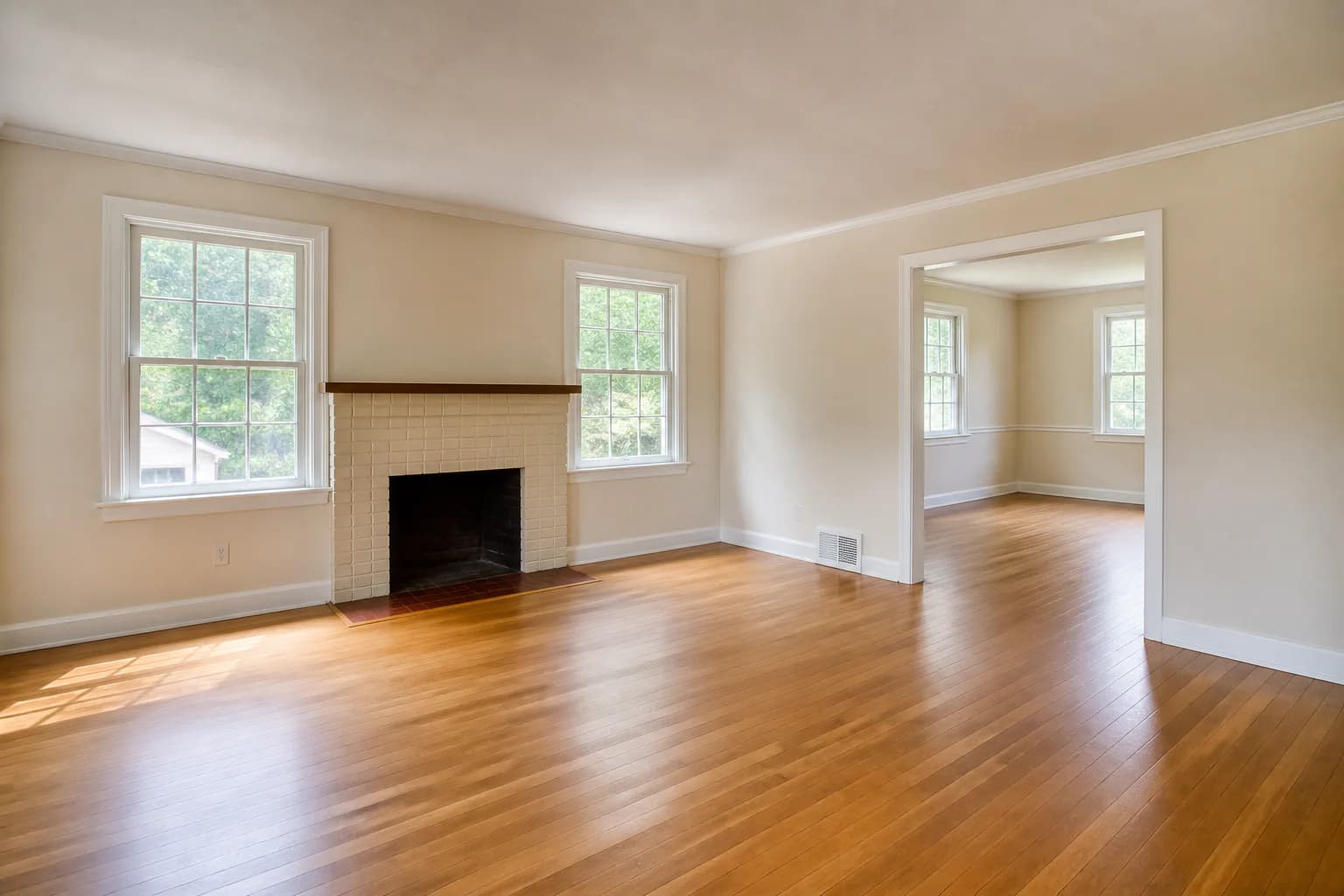 Before
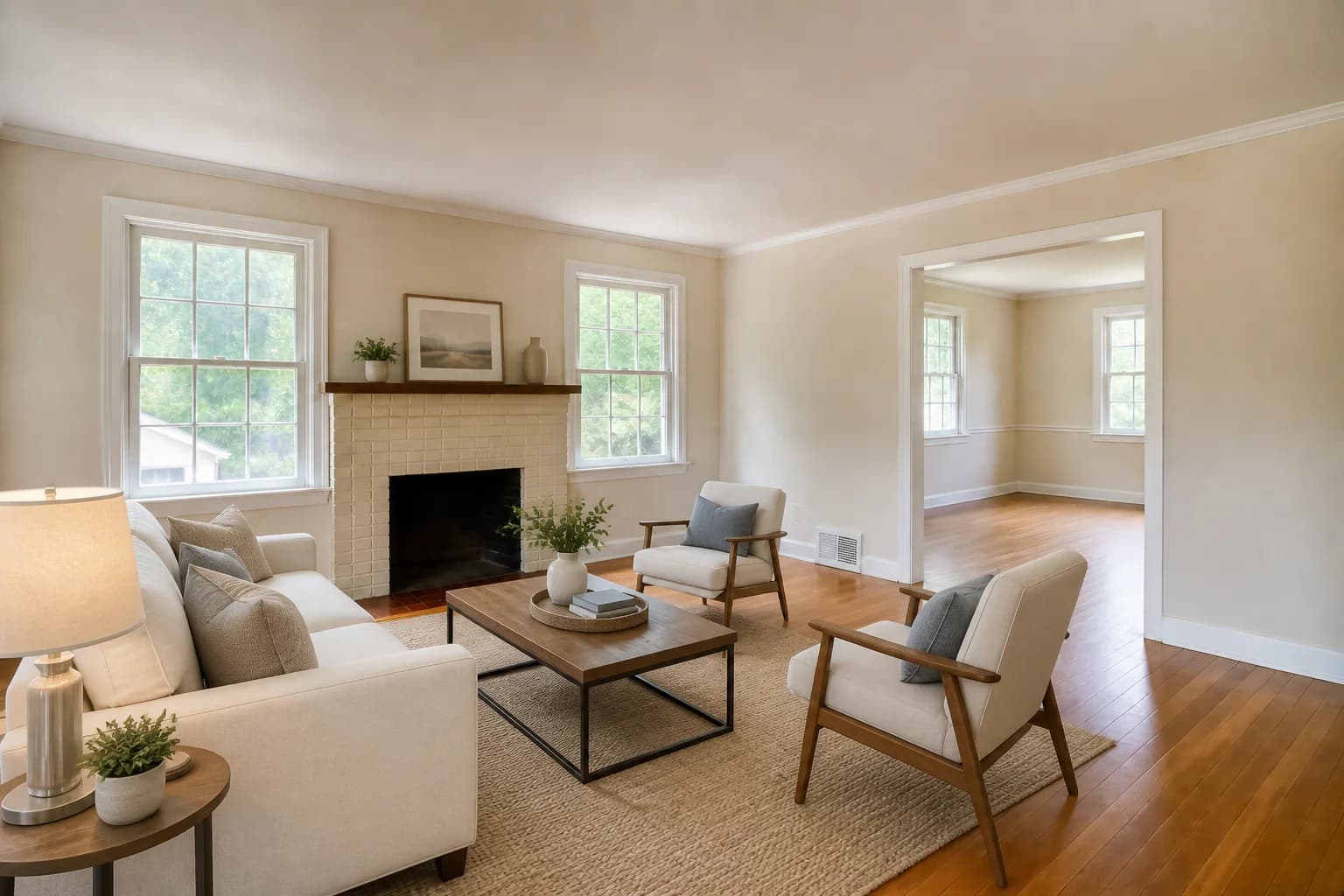 After
AfterAI-generated demonstration scenes created for this guide—not a customer listing or a representation of actual customer results.
Choose a one-time credit pack for occasional listings or a monthly plan for regular work. Your first generation uses 1, 2, or 5 credits depending on quality. Follow-up edits in the same image workflow are included.
Enter the number of photos you want to stage. Compare the actual purchase needed, including any unused credits—not just the advertised price per image.
10 credits needed. One-time packs: $20.00. Lowest first-month plan total: $39.00.
10 photos × 1 credit = 10 credits needed
$20.00 one time
1 × 10-credit pack. 0 credits left after these photos; pack credits do not expire.
$2.00 spent per requested photo, counting the full purchase.
$39.00 first month
Base: $39.00/month. 22 credits left after these photos.
The plan renews at $39.00/month until canceled. Extra packs are separate purchases and do not renew.
USD estimates assume no existing, free, or rollover credits. Follow-up edits in the same image workflow are included; new workflows use credits again. Monthly credits follow the plan’s expiration and rollover rules. Multiple packs may require separate purchases. This calculator does not make a purchase.
View plans and credit packs| Pack or plan | You pay | Credits | Value · 1 credit | Balanced · 2 credits | Pro · 5 credits |
|---|---|---|---|---|---|
| 10 Credits | $20 one-time | 10 | $2.00 | $4.00 | $10.00 |
| 25 Credits | $45 one-time | 25 | $1.80 | $3.60 | $9.00 |
| 50 Credits | $80 one-time | 50 | $1.60 | $3.20 | $8.00 |
| Base | $39 /month | 32 | $1.22 | $2.44 | $6.09 |
| Pro | $49 /month | 45 | $1.09 | $2.18 | $5.44 |
| Business | $149 /month | 150 | $0.99 | $1.99 | $4.97 |
Per-photo amounts are rounded allocations of the full purchase price, assuming all credits are used. They are not individual photo purchases. Unused credits increase your effective cost; starting a new image workflow uses credits again. All prices are in USD.
With the $20 pack, five Value images use 5 of your 10 credits: $10.00 of prepaid credit value. Five Balanced images use all 10 credits. Revisions within those workflows cost no extra credits.
Planning your first edit? See recorded StagingGPT edits or copy a furniture-edit prompt.
Three approaches
Exact third-party prices vary by property, location, vendor, scope, and service level. This table compares cost structure and operational tradeoffs so you can compare quotes against your actual workload.
| Factor | Physical staging | Human virtual staging | AI virtual staging |
|---|---|---|---|
| What you purchase | Furniture in the actual property, plus labor and logistics | A finished image edited by a person or studio | Access to a generation tool, usually by credit or subscription |
| Typical pricing basis | Property, rooms, furniture package, delivery, and rental period | Photo, room, project, revision package, or turnaround | Generation, credit bundle, subscription, or usage tier |
| Changes the showing? | Yes—the furniture is physically present | No—the marketing image changes | No—the marketing image changes |
| Revision process | May require restyling, transport, or another photo shoot | Requested through the vendor and governed by its revision policy | Self-serve: generate and revise within the product workflow |
| Turnaround dependency | Scheduling, inventory, delivery, setup, and photography | Vendor queue, brief clarity, and revision rounds | Generation time plus your own review and revisions |
| Hidden cost to check | Delivery, pickup, rental extensions, storage, damage, and coordination | Rush service, extra revisions, complex masking, or added rooms | Unused subscription credits, repeated restarts, review time, and higher-credit models |
| Best fit | When the in-person experience matters enough to furnish the space | When you want a specialist to own the image-editing process | When speed, self-service iteration, and repeatable volume matter |
Transparent examples
These are hypothetical calculations—not customer stories, promised results, or recommendations. They show how model choice and restarting affect credit use.
Scenario A
Five source photos × 1 Value credit = 5 credits. Focused follow-up edits in each existing workflow do not add credits.
Scenario B
Three source photos × 5 Pro credits = 15 credits. The model choice raises credit use even if the room count stays the same.
Scenario C
One Value run + two new Value runs = 3 credits. Revisions inside those runs are included; each restart creates the additional charge.
Budget planning
Count the work surrounding the image, not just the moment it is generated.
Multiple angles of one room are separate images and may need separate staging runs.
Value, Balanced, and Pro consume different numbers of credits for the initial generation.
Focused follow-ups can refine an existing workflow; unnecessary restarts consume more credits.
Occupied rooms, reflective surfaces, intricate built-ins, and poor lighting can require more review.
Every approach needs someone to check scale, architecture, consistency, and disclosure.
Compare expected monthly volume with included credits, rollover rules, and likely model mix.
StagingGPT Value images cost about $0.99 each when all 150 credits in the $149/month Business plan are used. One-time packs start at $20 for 10 credits, or $2.00 per Value image. Balanced uses 2 credits and Pro uses 5. Follow-up edits within the same image workflow are included. Other providers set their own prices and revision policies.
The initial generation uses 1 credit with Value, 2 with Balanced, or 5 with Pro. Follow-up edits to that image workflow are included. Starting over with a new source begins a new credit-charged generation run.
StagingGPT includes follow-up edits within the same image workflow. Select the version you want to continue from and make focused revisions. A new image or a restarted workflow uses credits again.
They solve different problems. Physical staging changes the in-person showing and photography. Virtual staging changes the marketing image only. Some listings benefit from one approach, while others use both for different parts of the sales process.
Compare image quality, architecture preservation, turnaround, revision policy, output format, disclosure needs, consistency across a listing, and the time your team spends reviewing each result.
Related guidance
Follow the complete process from source-photo selection through disclosure and download.
Learn moreAdd furniture to a room photo, then refine the result with included edits.
Learn moreSee how repeatable staging can support vacant rental marketing.
Learn moreTest the workflow before choosing a plan
Use your own room photo, review the result carefully, and decide which quality level fits the work you actually produce.
Try StagingGPT free