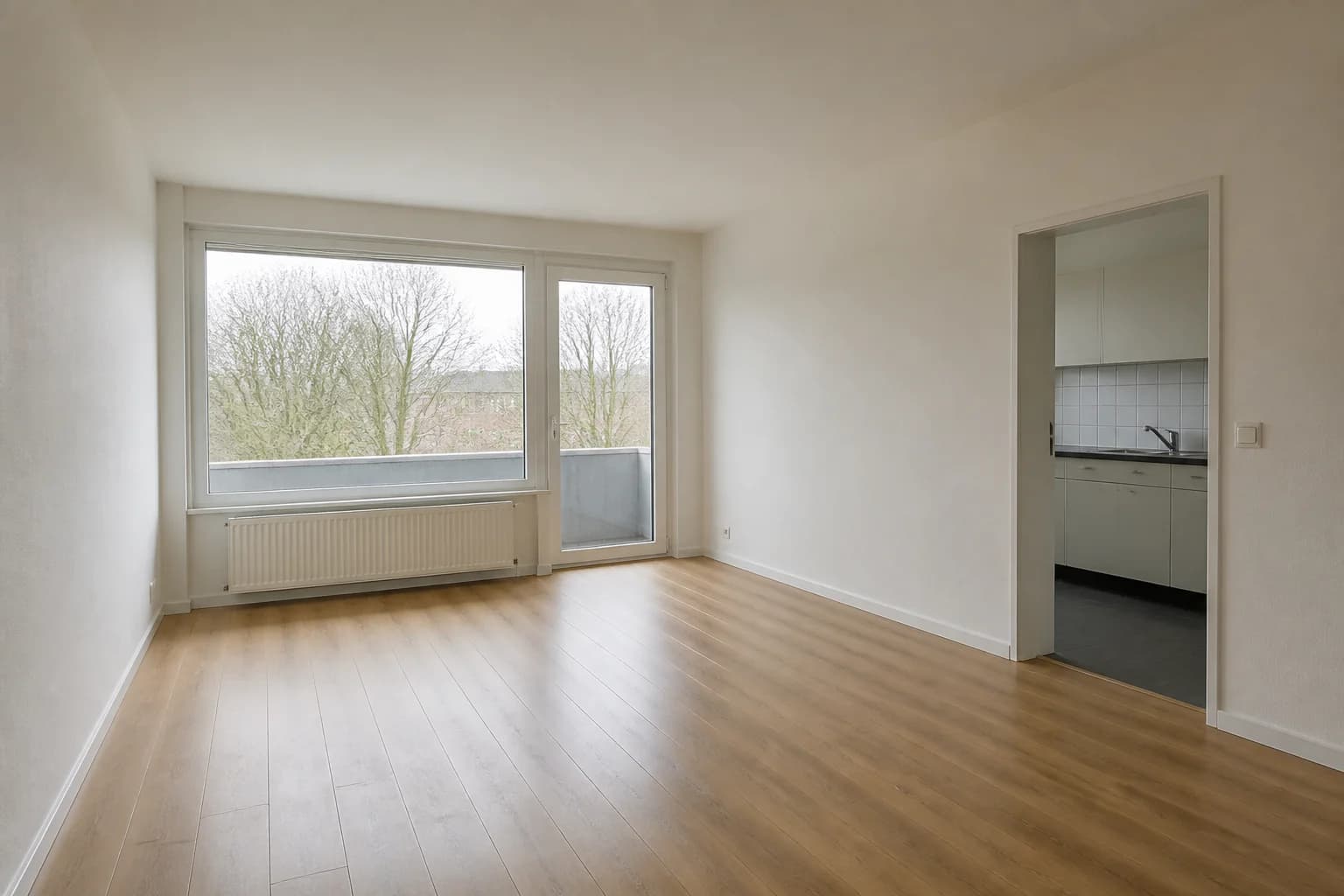
 Before
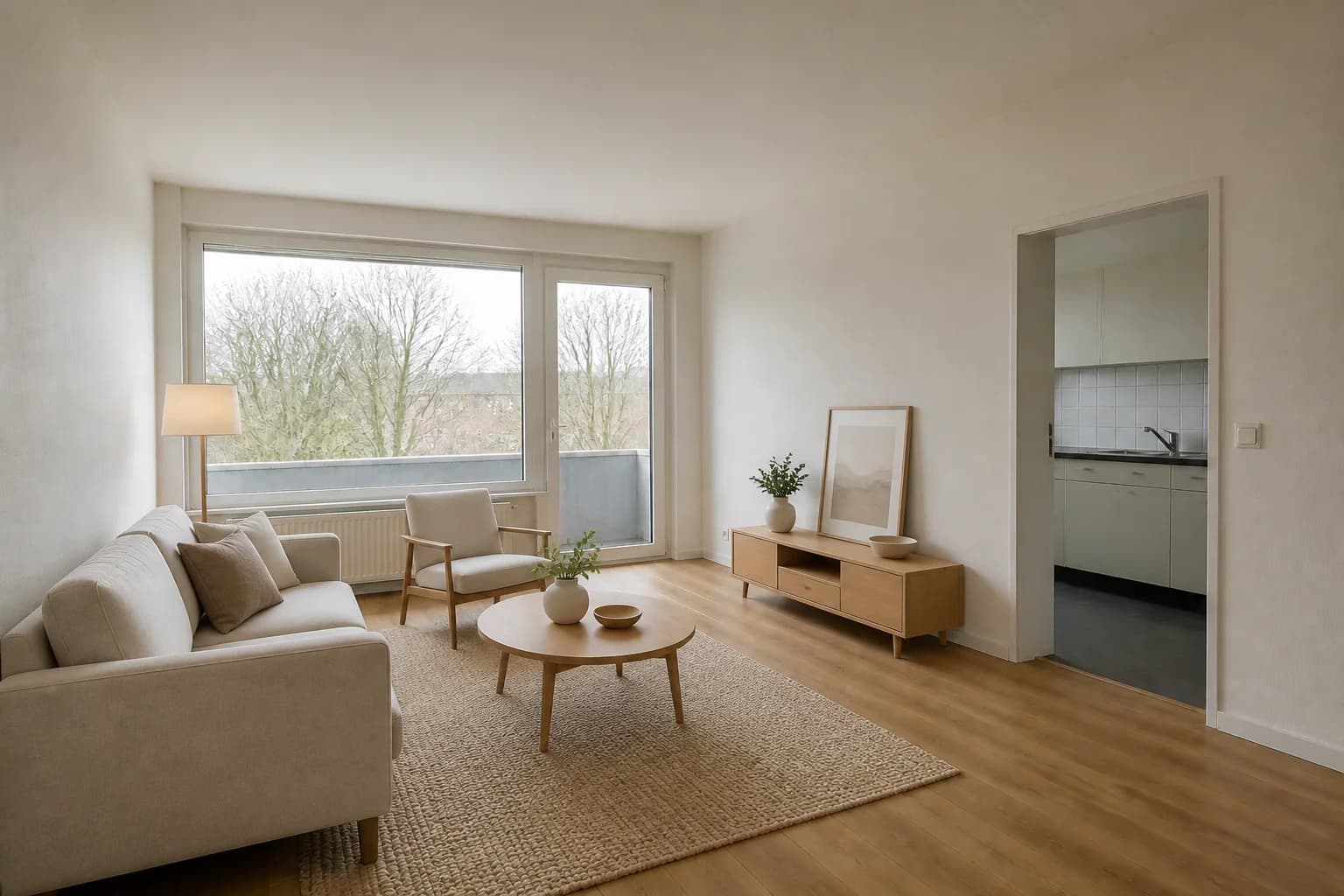 After
AfterGive a vacant living room a clear center
A compact sofa, chair, rug, and media console demonstrate a comfortable everyday layout while preserving the route to the balcony and kitchen.
Virtual staging for rental marketing
Help prospective renters understand an empty unit before a tour. Stage practical layouts for apartments and repeat floor plans while keeping the property itself visible and unchanged.
3 free credits · No credit card required
BeforeAfterA compact sofa, chair, rug, and media console demonstrate a comfortable everyday layout while preserving the route to the balcony and kitchen.
Purpose-built examples
These AI-generated demonstration scenes show how virtual furniture can explain scale, circulation, and room purpose without coordinating a physical staging install for every vacancy.
All before images and staged edits on this page are AI-generated demonstration scenes created for this guide.
BeforeAfterA compact sofa, chair, rug, and media console demonstrate a comfortable everyday layout while preserving the route to the balcony and kitchen.
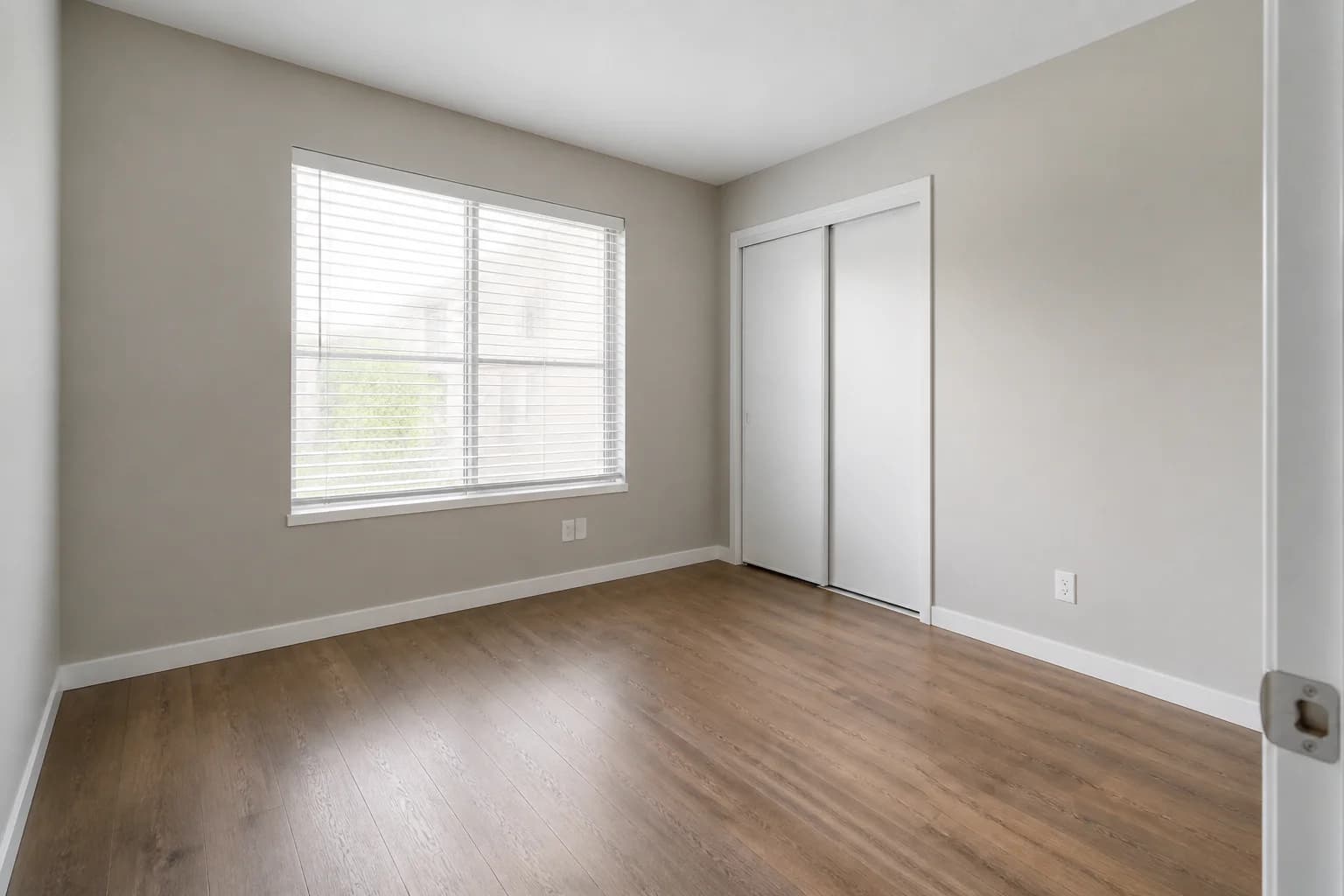 Before
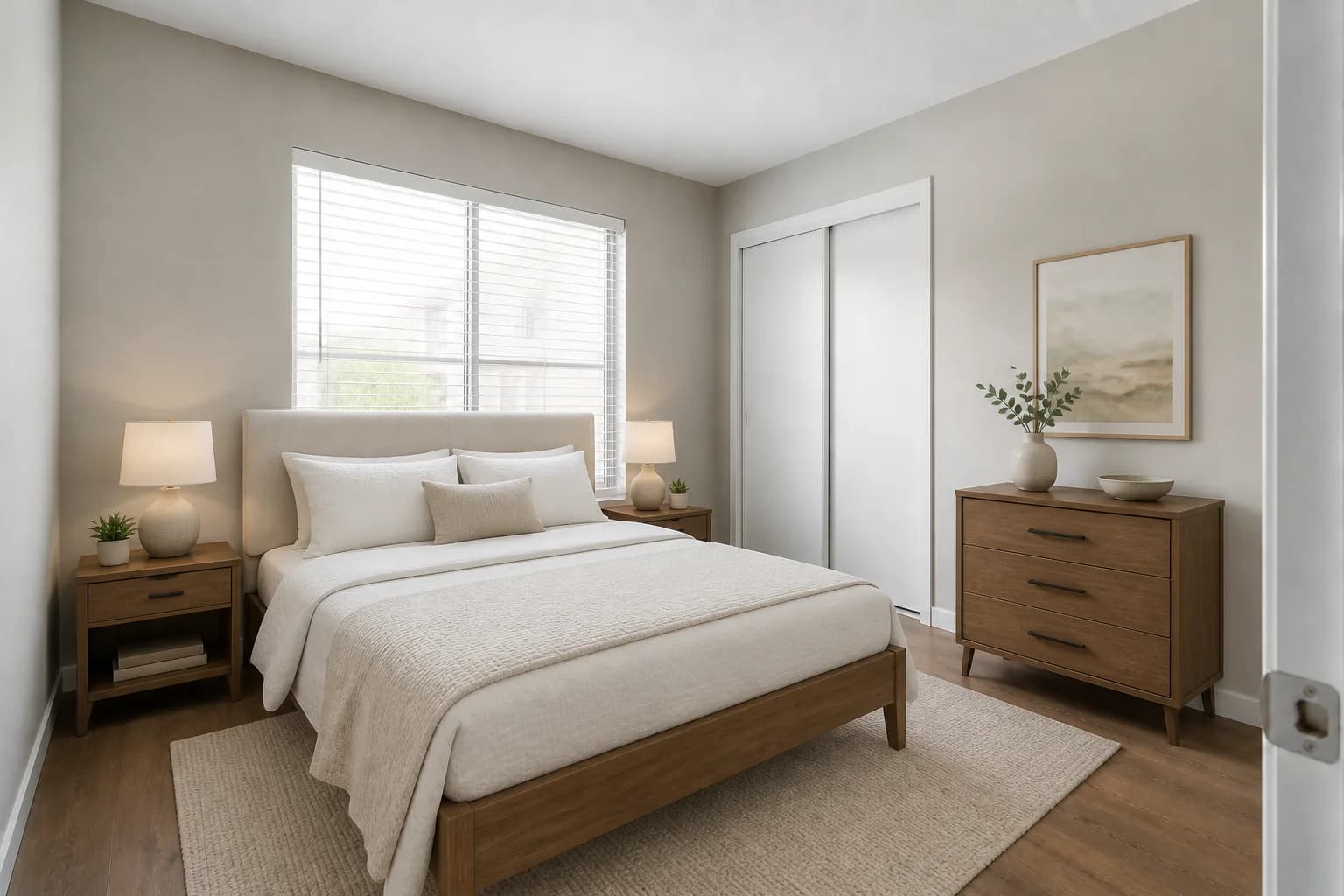 After
AfterA full-size bed and streamlined storage make the room scale easier to read without blocking the closet or changing the apartment finishes.
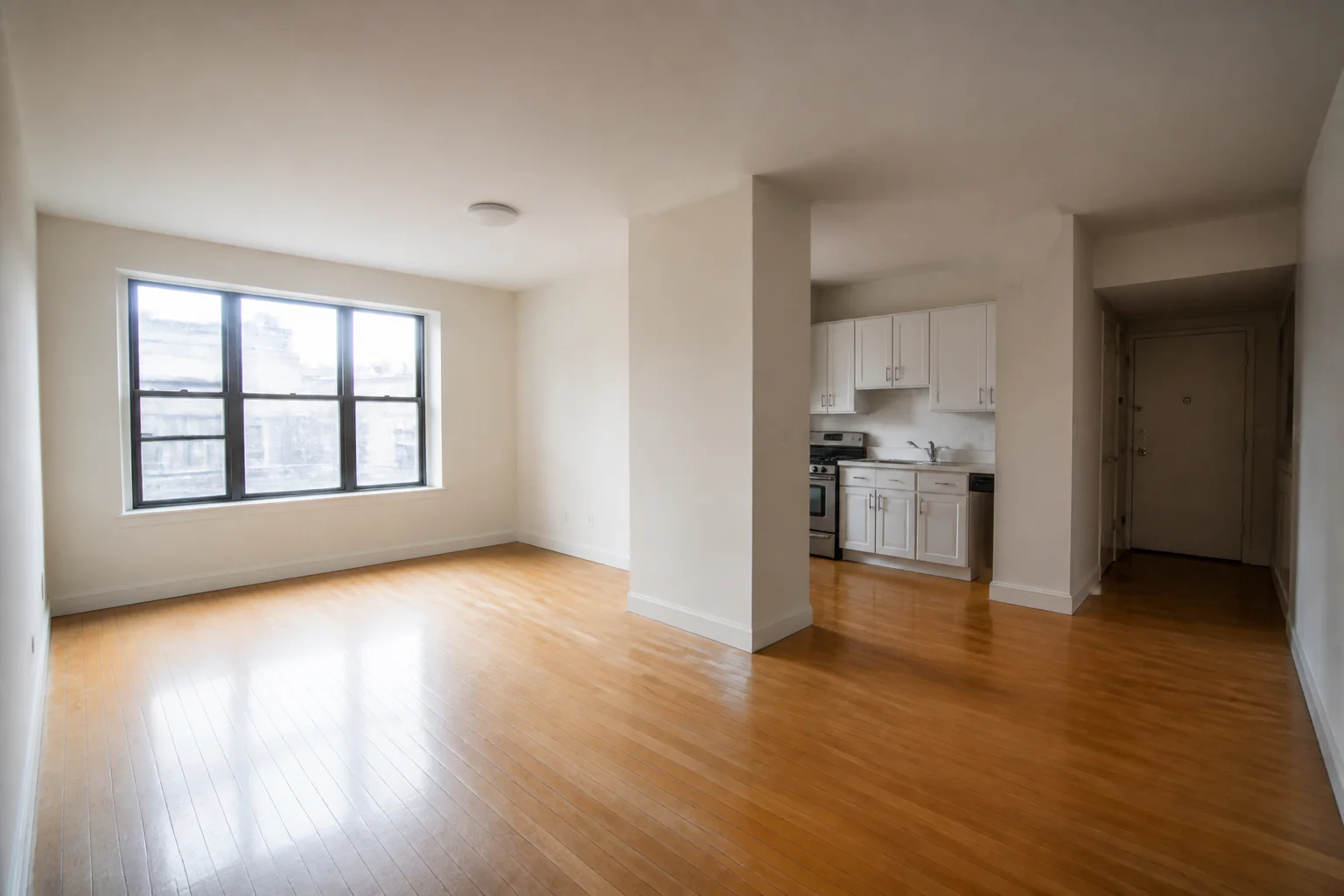 Before
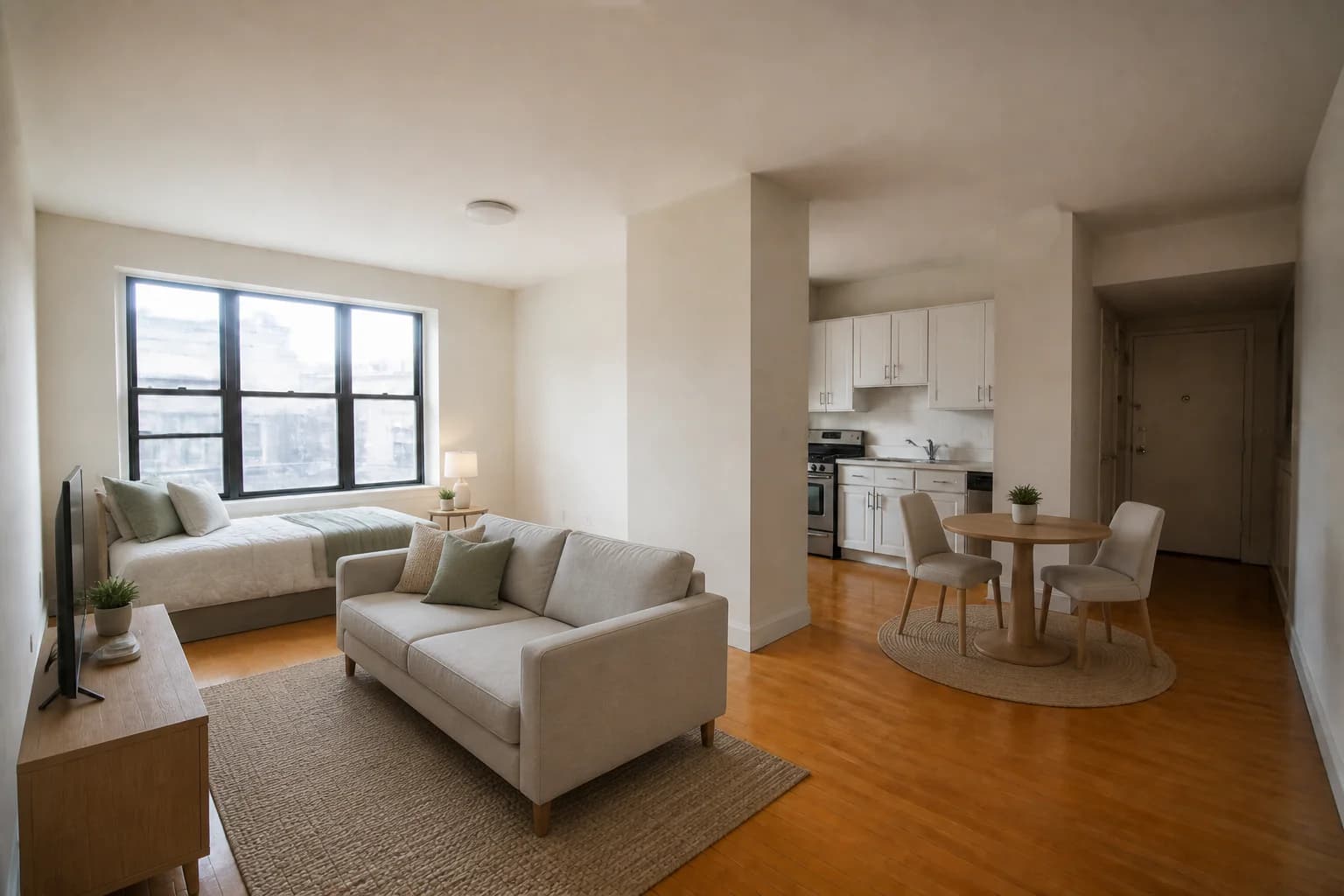 After
AfterSeparate sleeping, living, and dining zones help renters see how one open room can support several daily activities while preserving clear paths to the entry and kitchenette.
Why it helps
Create room concepts that support leasing conversations while keeping the source photography available for comparison and review.
Show a plausible furniture arrangement so prospects can judge room purpose and usable space before scheduling a tour.
Develop a consistent furnishing direction for similar units, then review each photo individually for windows, doors, and circulation.
Choose attainable layouts for studios, bedrooms, and living areas instead of presenting every property like a luxury model home.
Compare the staged concept with the original and check that permanent finishes, fixtures, and room proportions still represent the unit accurately.
Simple workflow
Start with a well-lit, level image that clearly shows the floor, windows, doors, and any permanent fixtures a renter will see.
Select furniture and a layout suited to the unit type, target renter, and real circulation paths rather than altering the property itself.
Compare against the source, keep the original file, and follow the advertising, platform, and local disclosure rules that apply to the listing.
Yes. A furnished concept can make an empty room easier to understand by showing a plausible use and furniture scale. Keep the original image available so prospective renters can also see the unit as photographed.
Only when the published image accurately represents the unit being offered and your listing rules allow it. Even similar units can differ in views, finishes, orientation, or fixtures, so review each listing and label representative imagery where required.
Focus on a few appropriately scaled pieces that explain sleeping, sitting, and dining zones. Preserve access to the entry, kitchen, windows, closets, and other features that affect how the space actually functions.
Disclosure requirements vary by location and listing platform. Keep the original photographs, avoid presenting furniture as included unless it is, and follow the applicable local advertising and platform rules.
Use the original photo as the reference and verify that walls, windows, doors, flooring, fixtures, views, and room proportions remain unchanged. Treat the result as a furnishing concept, not a renovation preview.
Explore more workflows
Create listing-ready room concepts without coordinating physical furniture.
Learn moreAdd virtual staging to your delivery workflow and offer clients more value.
Learn moreExplore furnishing directions before outfitting or refreshing a short-term rental.
Learn morePlan and review your next project
See your listing differently
Upload a room photo, choose a direction, and create a staged concept you can review before using it in your marketing.
Try StagingGPT free