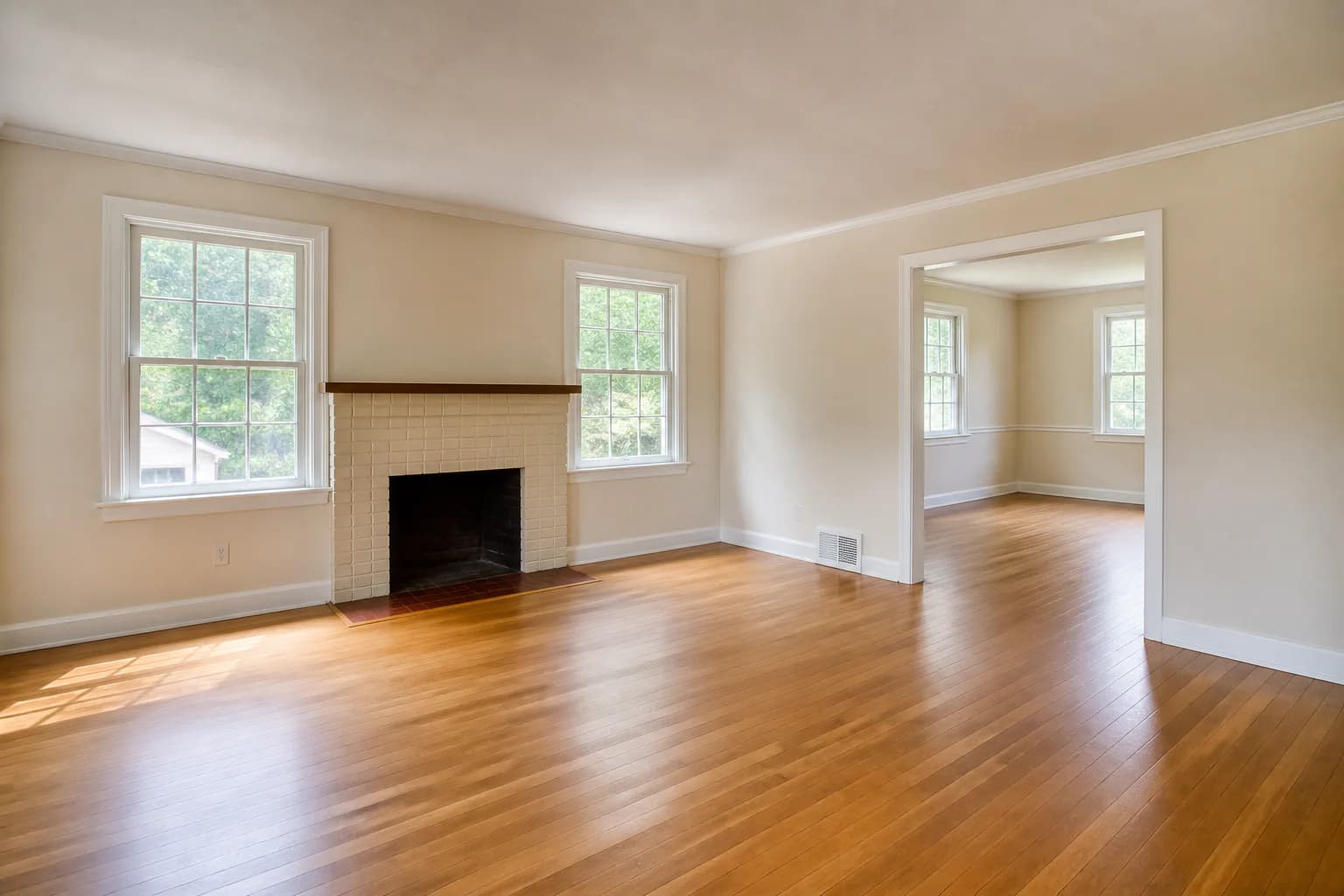
 Before
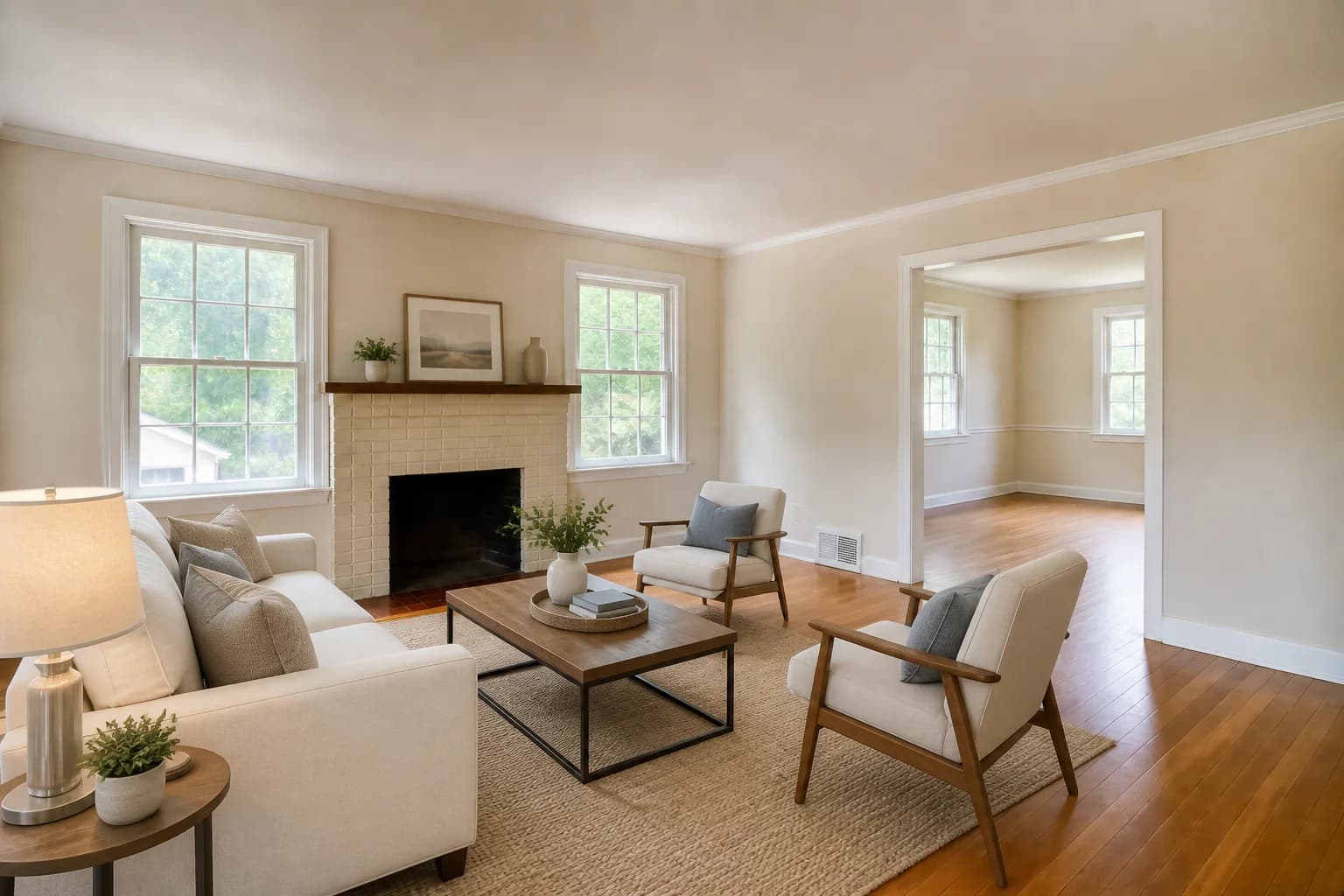 After
AfterFrame an empty living room around its features
A conversational seating group makes the room feel purposeful, keeps the fireplace visible, and leaves a clear route to the adjoining dining room.
Virtual staging for home listings
Show the potential of your home without hiding what is really there. Add or replace movable furniture to make room scale and purpose easier for buyers to understand.
3 free credits · No credit card required
BeforeAfterA conversational seating group makes the room feel purposeful, keeps the fireplace visible, and leaves a clear route to the adjoining dining room.
Purpose-built examples
These AI-generated demonstration scenes show how a useful before-and-after can keep the permanent room visible while demonstrating a thoughtful, realistic way to furnish it.
All before images and staged edits on this page are AI-generated demonstration scenes created for this guide.
BeforeAfterA conversational seating group makes the room feel purposeful, keeps the fireplace visible, and leaves a clear route to the adjoining dining room.
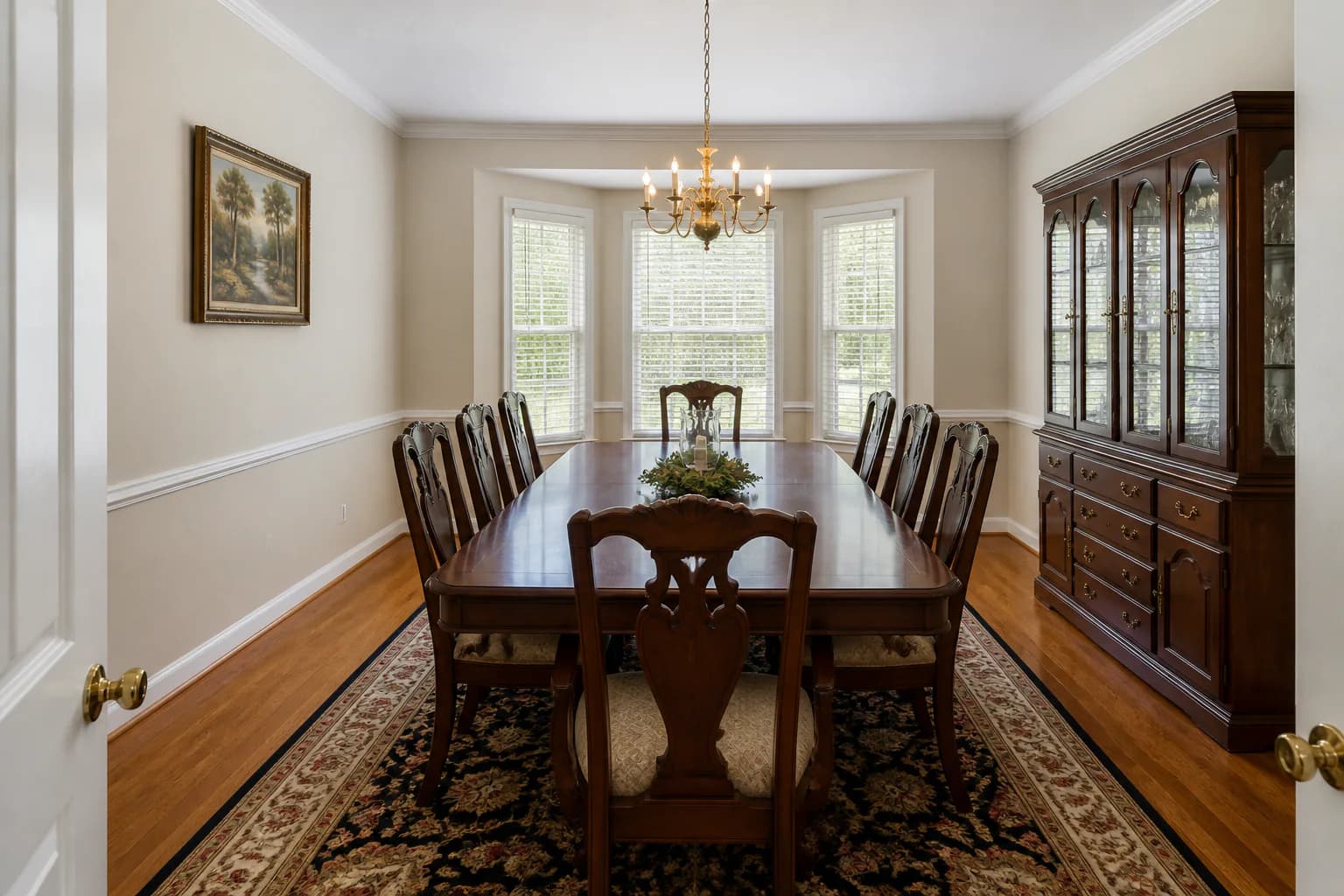 Before
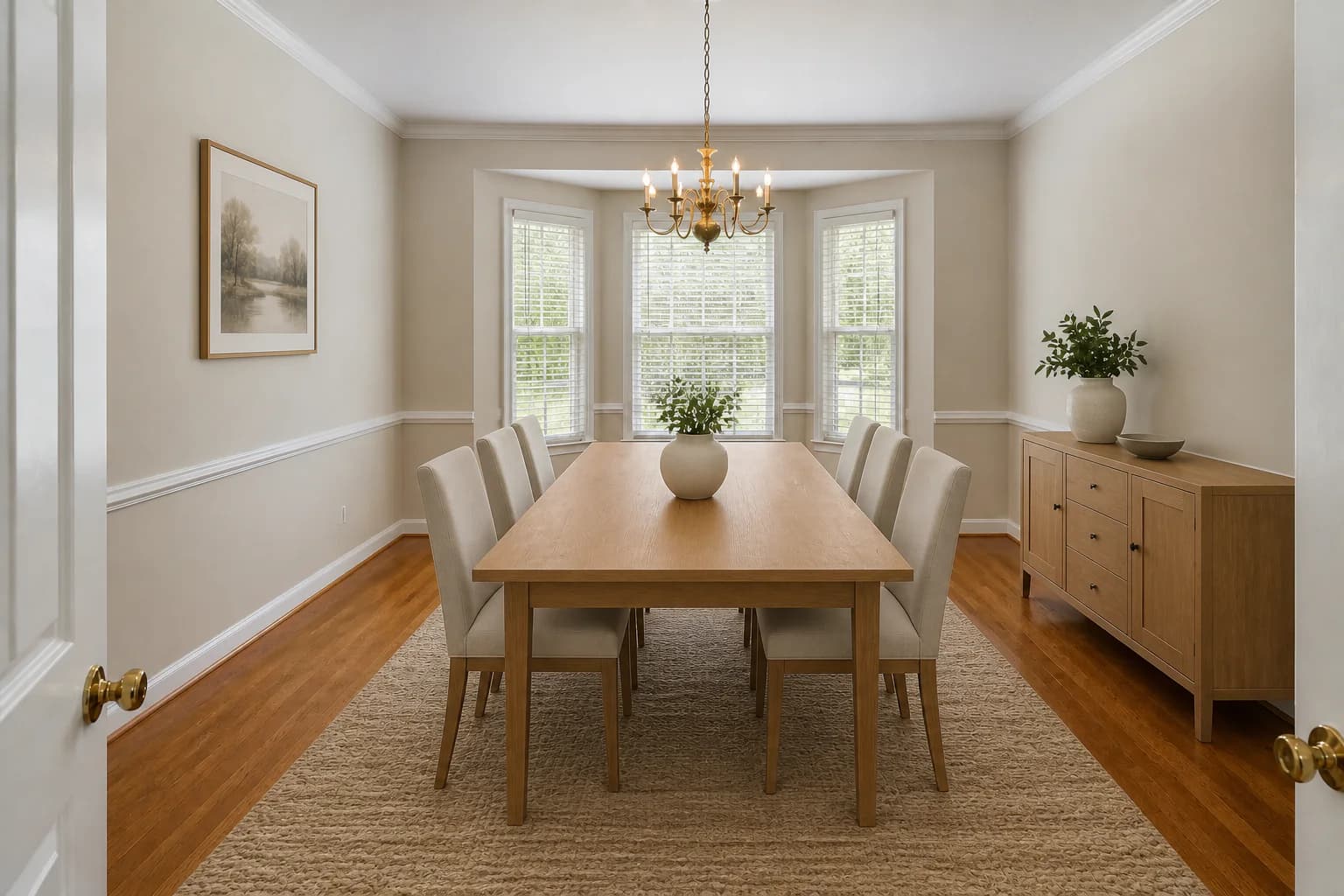 After
AfterLighter movable furnishings reveal more of the dining room while the windows, molding, chandelier, walls, and hardwood floor remain the same.
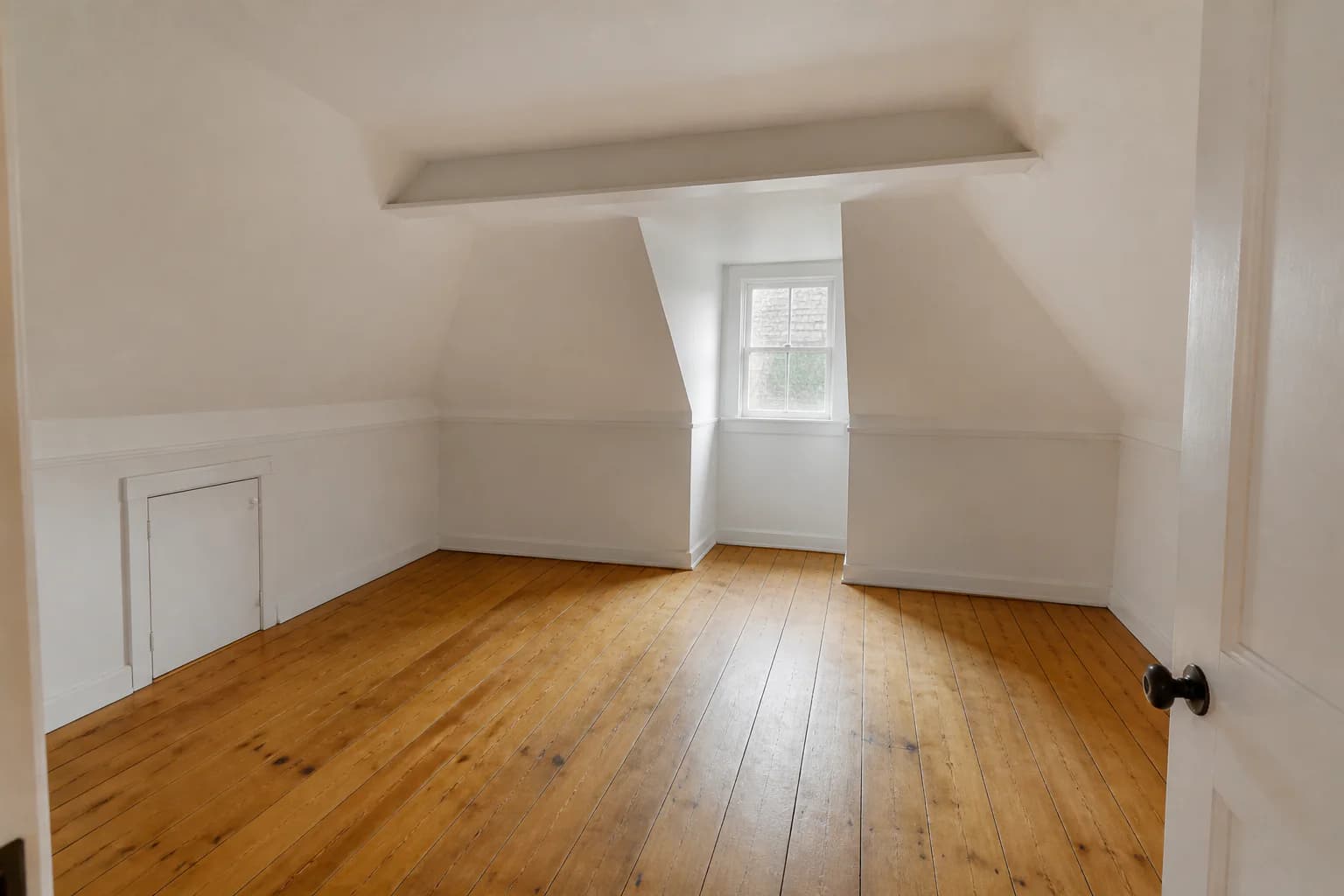 Before
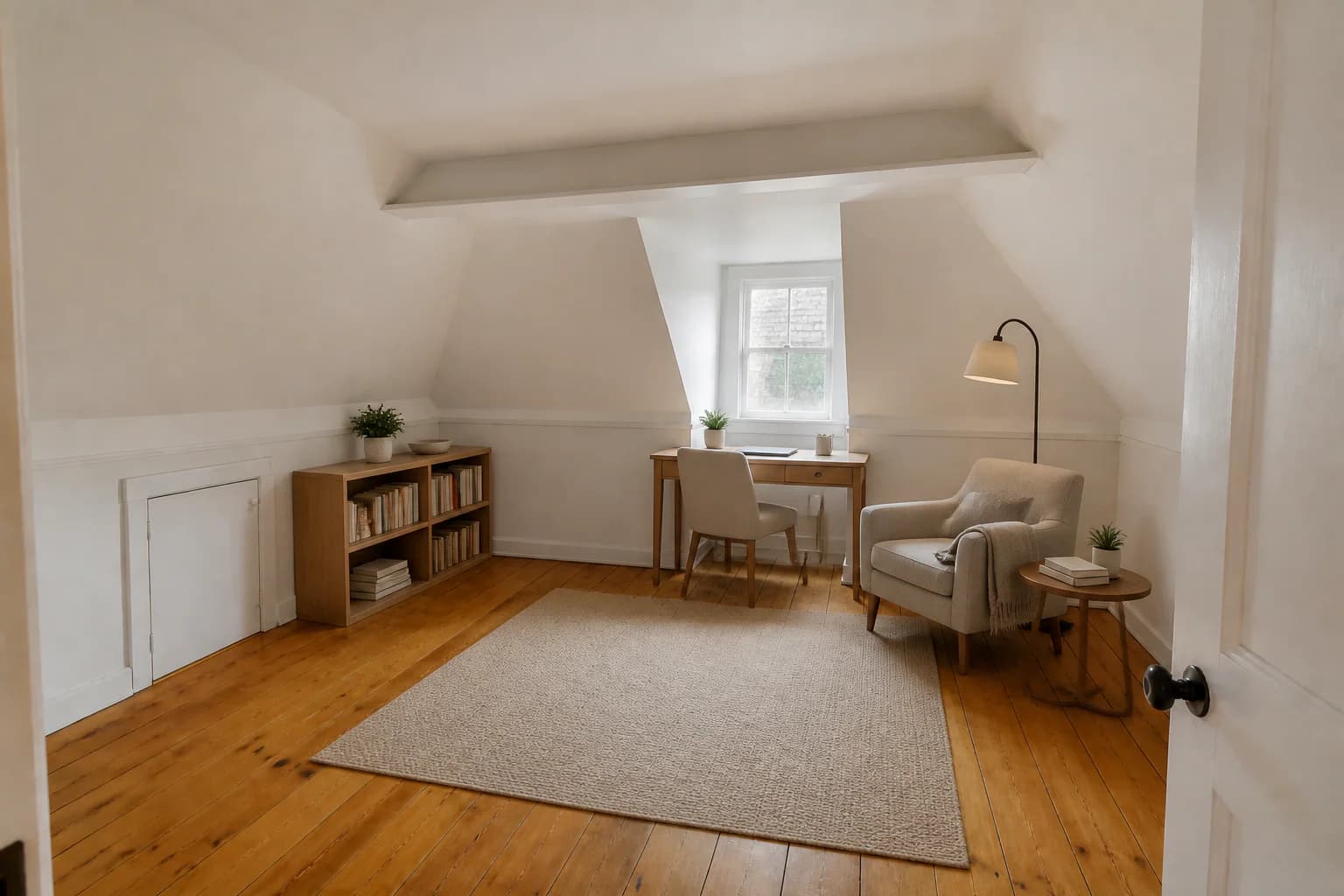 After
AfterLow-profile office and reading furniture works with the existing roof slopes and access door, helping buyers picture a flex space without calling it a bedroom.
Why it helps
Use staging concepts to answer common buyer questions about layout while preserving an honest record of the home as photographed.
Appropriately sized furniture gives buyers familiar visual references for seating, circulation, and usable floor area.
Replace distracting furniture and decor in the concept image without suggesting that flooring, fixtures, or architectural finishes were renovated.
Demonstrate a realistic office, reading, dining, or living layout when an empty or unusually shaped room lacks an obvious purpose.
Retain the original photo and review it alongside the staged version so buyers and listing professionals can distinguish the concept from the property.
Simple workflow
Use a level, well-lit image that shows the permanent room features and remove personal or sensitive items before uploading.
Choose movable furniture that answers what fits, how traffic flows, or what an awkward space could reasonably be used for.
Check the result against the original, save both versions, and follow your agent, MLS, platform, and local disclosure requirements before publishing.
Yes. You can create furnishing concepts for your own listing photos, but you are still responsible for accurate advertising and any disclosure rules used by your listing platform or jurisdiction.
It can be used to explore a cleaner furnishing direction by replacing movable items. The result should not remove defects or change permanent features such as floors, windows, fireplaces, cabinetry, or room dimensions.
Start with rooms whose scale or purpose is difficult to understand when empty, such as the main living area, primary bedroom, dining room, or a genuine flex space. A few clear examples are usually more useful than filling every room.
Rules differ by MLS, platform, and location. Keep the originals, ask your listing professional when applicable, and clearly disclose virtual staging wherever the relevant rules require it.
Preserve the architecture and permanent finishes, use believable furniture scale, do not imply a room has a legal use it does not have, and make the original photos available for comparison.
Explore more workflows
Create listing-ready room concepts without coordinating physical furniture.
Learn moreAdd virtual staging to your delivery workflow and offer clients more value.
Learn morePresent completed interiors and model-home possibilities before physical staging.
Learn morePlan and review your next project
See your listing differently
Upload a room photo, choose a direction, and create a staged concept you can review before using it in your marketing.
Try StagingGPT free